

Key Takeaways
- Keep at least one handwritten paper copy of your seed phrase somewhere private, away from your phone.
- Never keep a seed phrase as a screenshot: in 2025 Kaspersky found SparkCat, malware in App Store and Google Play apps that scanned photo galleries for recovery phrases.
- Under Apple's default standard data protection, Apple holds the keys to iCloud Photos and Notes; only Advanced Data Protection makes them end-to-end encrypted.
- If you keep a digital copy, encrypt it and keep the words hidden until you need them, as HypaVault's seed phrase notes do.
- Store a BIP39 passphrase and your HypaVault recovery phrase apart from the seed phrase itself.
In This Post
- 01What a Seed Phrase Is, and Why It Can't Be Reset
- 02Where to Store a Seed Phrase: The Options Compared
- 03Why a Screenshot Is the Riskiest Copy
- 04Where the Words Should Never Go
- 05How to Write a Paper Copy That Lasts
- 06How to Store a Seed Phrase on Your Phone, Encrypted
- 07Don't Mix It Up with Your HypaVault Recovery Phrase
- 08Plan for Someone Who May Need It
- 09If Someone Forces You to Open the Vault
Where to store a seed phrase is the biggest decision in self-custody. Anyone who reads the words can move your crypto. The short answer: keep a paper copy somewhere private, never keep the words in a screenshot or a synced note, and encrypt any digital copy on your phone.
What a Seed Phrase Is, and Why It Can't Be Reset
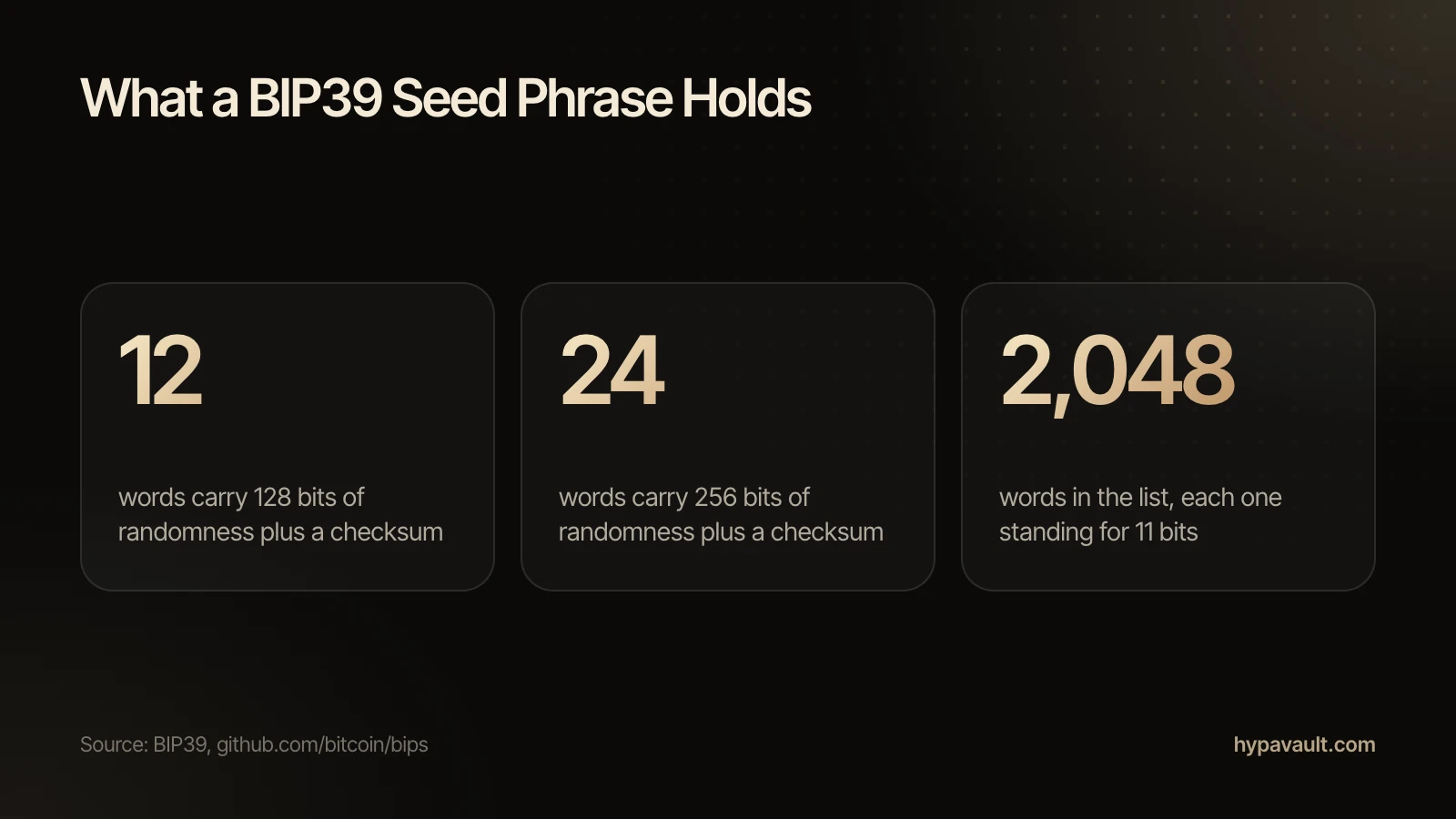
A seed phrase is the list of words a crypto wallet uses to rebuild all of its keys. Many wallets build them with BIP39, a standard that turns random numbers into words from a fixed list of 2,048. A 12-word phrase carries 128 bits of randomness and a 24-word phrase carries 256.
BIP39 exists to make keys easy for people to handle. Its authors wrote that the words could go on paper or be spoken over the telephone. Paper is still the right starting point.
No support team can reset the words or undo what someone does with them. The FTC notes that crypto payments typically aren't reversible. If someone steals a wallet, nobody may be able to step in. So where the words live matters more than almost anything else.
Where to Store a Seed Phrase: The Options Compared
Deciding where to store a seed phrase gets easier once you ask one question: can anyone reach this copy from afar? Here's how the usual choices compare.
| Place | Reachable Online? | Main Risk | Verdict |
|---|---|---|---|
| Paper, handwritten | No | Fire, water or someone finding it | Best first copy |
| Metal plate | No | Someone finding it | Sturdier than paper |
| Screenshot or photo | Yes, through photo backup | Apps with photo access can scan it | Avoid |
| Email, chat or a synced notes app | Yes | Copies on other companies' servers | Avoid |
| Encrypted note in HypaVault | Only through backups you save | Malware or someone watching the screen | Good second copy |
Why a Screenshot Is the Riskiest Copy
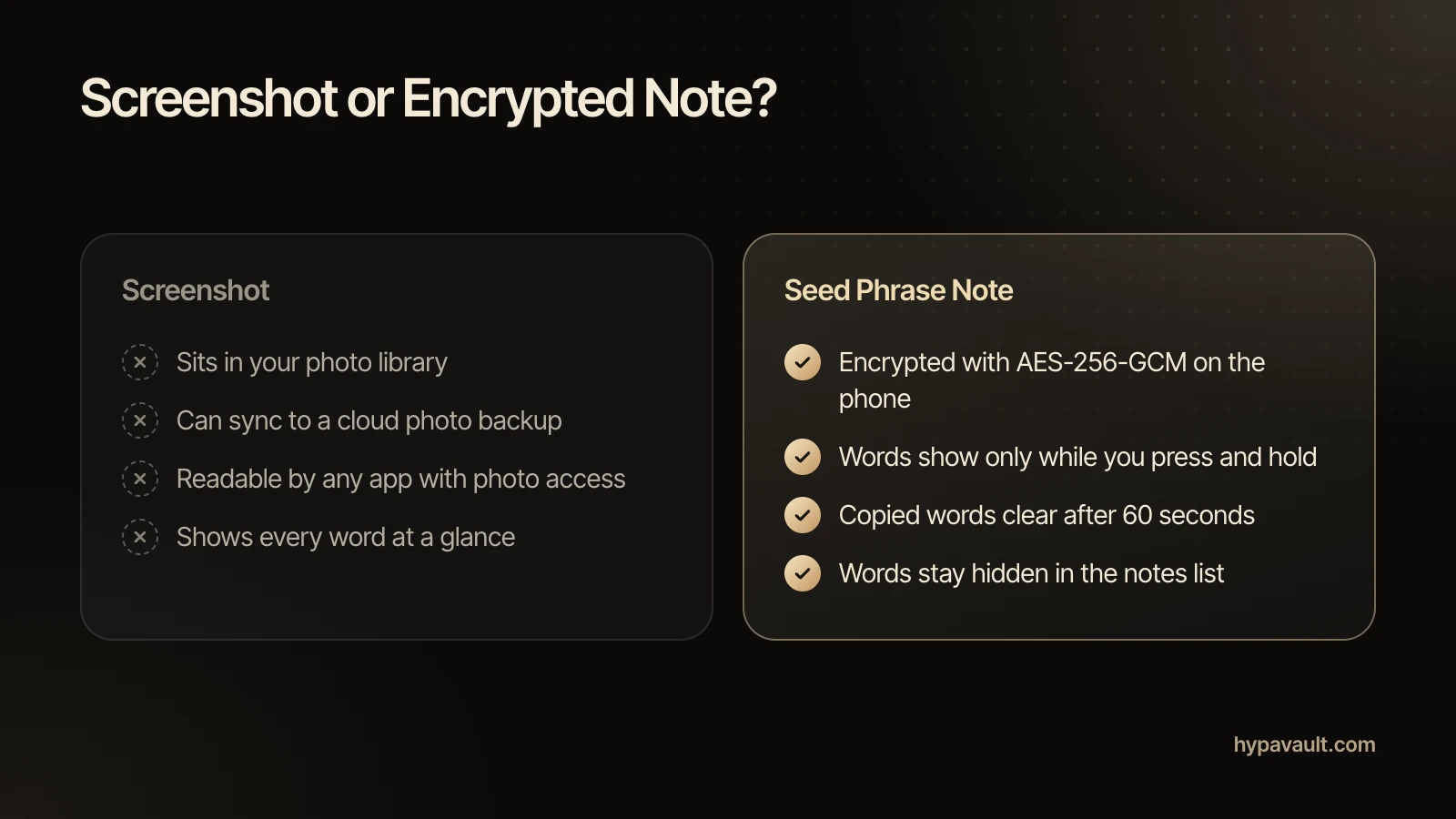
If you're deciding where to store a seed phrase, rule out the photo library first. A screenshot puts the words where apps already look. In February 2025, Kaspersky reported SparkCat, malware inside apps on both the App Store and Google Play. After an app got photo access, the malware read the text in your images. When it spotted words linked to recovery phrases, it sent the image to attackers. Infected apps had over 242,000 downloads on Google Play alone.
Cloud backup widens the exposure. Under Apple's default standard data protection, iCloud encrypts Photos and Notes, but Apple holds the keys. Only Advanced Data Protection makes them end-to-end encrypted. On Android, Google Photos backup covers the device folders you choose as well as the camera.
If you rely on iCloud at all, consider turning on Advanced Data Protection. Apple asks you to set up a recovery contact or recovery key first, because it no longer holds the keys to help you recover that data.
Where the Words Should Never Go
A seed phrase belongs in two places only: the wallet that owns it and your own private copies. Any website, form or chat that asks for the words is asking for the wallet itself. That includes anyone who claims to be support staff or offers to recover lost funds.
Watch the quieter leaks too. Typing the words into a search bar or a translation app can send them to that company's servers. So can pasting them into a message to yourself.
How to Write a Paper Copy That Lasts
Paper remains the first answer to where to store a seed phrase, as long as you copy it carefully. Take your time and work somewhere private.
- 1Write the words by hand, in order, and number each one.
- 2Check every word against your wallet's screen before you put the paper away.
- 3Store the paper somewhere private, away from your phone.
- 4If your wallet uses a passphrase, write it on a separate sheet and keep it somewhere else.
Two details from BIP39 help here. The wordlist lets the first four letters identify each word, which helps if you stamp the words into metal. And because the last word carries a checksum, BIP39 tells wallet software to warn you when a phrase doesn't add up. A misspelled or swapped word will often trigger that warning.
A passphrase changes the stakes. BIP39 says every passphrase produces a valid wallet, but only the correct one opens yours. Lose it, and the words alone open a different wallet.
How many copies should you keep? Two copies in two places survive a fire or a flood. Each extra copy, though, is one more place someone could find. A sensible middle ground is one or two paper copies and, at most, one encrypted digital copy.
How to Store a Seed Phrase on Your Phone, Encrypted
A phone is a reasonable answer to where to store a seed phrase only if the copy is encrypted and out of sight. HypaVault encrypts seed phrase notes on your phone with AES-256-GCM. Nothing you store leaves the phone unless you send it. The help article on storing a seed phrase has the short version.
- 1Tap +, choose New Note, then choose a seed phrase note.
- 2Type the words into the numbered grid, or paste the whole phrase to fill it at once.
- 3Save. The words hide straight away and show only while you press and hold.
- 4Delete the copy you pasted from. If it was a screenshot, empty Recently Deleted or Trash as well.
In the notes list, the entry reads "12 words, hidden". Anything you copy from it clears from the clipboard after 60 seconds. Seed phrase notes take 12 or 24 words. A phrase of another length fits in an ordinary text note, which HypaVault encrypts the same way but doesn't hide.
On iPhone
iOS doesn't let any app block screenshots. HypaVault covers itself in the app switcher and while you record or mirror the screen. A quick screenshot still works, though. So hold the words open only when you're alone.
On Android
On Android, screenshots, screen recordings and casting of HypaVault show black. That rules out an accidental screenshot. It can't stop someone photographing the screen with another phone.
Clearing old copies takes a few taps; this guide to emptying Recently Deleted and Trash shows where. For the full walkthrough, see keeping notes and seed phrases in HypaVault.
Don't Mix It Up with Your HypaVault Recovery Phrase
Your HypaVault recovery phrase also uses BIP39, so it looks just like a seed phrase: 12 words in the same format. It does a different job. It resets the vault's passcode, opens the vault's backups and brings the vault to a new phone. Label each paper copy clearly and keep them apart.
Keep the recovery phrase away from your backup files too. A backup opens only with that phrase, so anyone holding both can read everything inside, seed phrases included. The help article on your recovery phrase explains the rest.
Plan for Someone Who May Need It
Self-custody has one more trade-off: if nobody can reach the words, nobody can reach the funds. Decide who should be able to find your paper copy if something happens to you. A sealed note that says where the copy is, kept with your important documents, avoids handing anyone the words themselves.
If Someone Forces You to Open the Vault
A safe place doesn't help when someone makes you unlock it. With Pro, a duress passcode looks like a normal unlock. It silently erases every other vault on the phone and opens an empty one. A backup and its recovery phrase bring the erased vaults back later.
Before you settle on where to store a seed phrase for good, run each copy you keep through the seed phrase safety checklist.
References
- 1.BIP39: Mnemonic code for generating deterministic keys · Bitcoin Improvement Proposals (GitHub)
- 2.What To Know About Cryptocurrency and Scams · Federal Trade Commission, Consumer Advice
- 3.Kaspersky discovers new crypto-stealing Trojan in AppStore and Google Play · Kaspersky
- 4.iCloud data security overview · Apple Support
- 5.Back up photos & videos · Google Photos Help

About the Author
Lisa Noronha · Co-Founder
Lisa Noronha co-founded the company behind HypaVault and leads its teams. She has more than 20 years of experience in product, digital experience and growth, working with major brands worldwide. Here she writes about keeping personal photos, documents and crypto keys private on everyday phones.